
그리고, 설명하고, 공유하고Draw, explain, share
그리는 걸로 끝이 아니에요 — 다른 사람에게 하나씩 보여주고, 링크나 파일로 건넬 수 있어요. It doesn't stop at drawing. You can walk someone through it, and hand it off as a link or a file.
스토리Story
그림을 넘어, 한 걸음씩 이해시키기Go beyond the picture — explain it step by step
스토리는 순서가 있는 단계 모음이에요. 각 단계는 다이어그램의 한 부분을 밝게 비추고 나머지는 어둡게 하면서, 아래 자막으로 설명을 달아요. 자격증 개념을 정리하든, 스터디에서 설명하든, 이걸로 "왜 이렇게 되는지"가 전해져요. A story is a set of steps in order. Each one lights up part of the diagram, dims the rest, and adds a caption at the bottom. Whether you're pinning down a cert concept or walking a study group through it, this is how the "why" gets across.
- 고른 객체로 단계를 만들어요Make a step from whatever you've selected
- 여러 모드: 구성 요소가 하나씩 또는 전체, 선택한 것만 나타나요Several modes: pieces appear one at a time, all together, or only the selected one
- 스토리는 다이어그램 안에 저장돼요 — 파일·링크·HTML·영상에 같이 담겨요The story is saved inside the diagram — it travels in the file, link, HTML, and video
팔레트Palette
끌어다 놓으면 끝Drag it — and it's on the canvas
왼쪽에서 AWS·GCP·Azure 탭을 눌러 서비스를 고르고, 캔버스로 끌어다 놓기만 하면 돼요. 이름으로 검색하고, ☆를 누르면 자주 쓰는 아이콘이 맨 위에 고정돼요. Pick a service from the AWS, GCP, or Azure tabs on the left, then drag it onto the canvas. Search by name, and tap ☆ to pin the ones you use most to the top.
- 종류별로 정리된 수백 개의 클라우드 아이콘Hundreds of cloud icons, sorted by type
- 즐겨찾기와 설정은 모두 저장되요Your favorites and settings are all saved
- 이미지를 드래그 드랍으로 아이콘을 추가해요Add your own icons by dragging and dropping images
경계 & 중첩Boundaries & nesting
VPC·서브넷 안에 쏙 넣기Tuck services inside VPCs and subnets
서비스를 경계 박스 안에 떨어뜨리면 그 안에 담겨요. 박스를 옮기면 안에 든 것도 같이 따라오고, 밖으로 빼면 다시 나와요. VPC 안에 서브넷, 그 안에 서비스처럼 여러 겹으로 넣어도 잘 돼요. Drop a service inside a boundary box and it goes in. Move the box and everything inside moves with it; drag it out and it pops back out. You can nest layers deep — a subnet inside a VPC, a service inside that.
- 그룹으로 묶거나, 해제 할 수 있어요Group a selection together, or ungroup it
- 크기 조절 가능, Alt를 누르면 가운데를 기준으로 늘어나요Resize freely; hold Alt to resize from the center
- 테두리·모서리·색을 마음대로Change the border, corners, and color
연결선Connections
여러 개를 한 번에, 순서대로 잇기Connect many at once, in order
노드 몇 개를 고르고 A를 누르면 읽는 순서(왼→오, 위→아래)대로 A→B→C가 한 번에 이어져요. Shift+A는 첫 노드에서 나머지 전부로 뻗어 나가는 펜아웃(부채꼴)이에요 — 로드 밸런서 하나에서 인스턴스 여러 개로 잇는 것처럼요. Pick a few nodes and press A — they get wired A→B→C in reading order (left→right, top→bottom), all at once. Shift+A fans out from the first node to all the rest — like one load balancer to many instances.
- 연결선은 서로 마주 보는 면에 알아서 붙어요Lines attach on the sides that face each other
- 이미 있는 연결은 두 번 만들지 않아요It won't make the same connection twice
내보내기Export
HTML·PNG·MP4로 내보내기Export to HTML, PNG, or MP4
HTML 파일 하나로 내보내면, 받은 사람이 끌어서 움직이고 확대하고 노드를 눌러 자세히 볼 수 있어요 — 휴대폰에서도요. 그림은 선명한 고해상도 PNG로, 스토리는 자막까지 넣은 영상으로 저장돼요. Export a single HTML file, and whoever gets it can drag, zoom, and click a node for details — even on a phone. Save a picture as a crisp high-resolution PNG, or turn a story into a video with captions.
- HTML 파일은 어디서 열어도 안전하고, 나중에 다시 열어 편집할 수도 있어요The HTML file is safe to open anywhere, and you can reopen it to keep editing
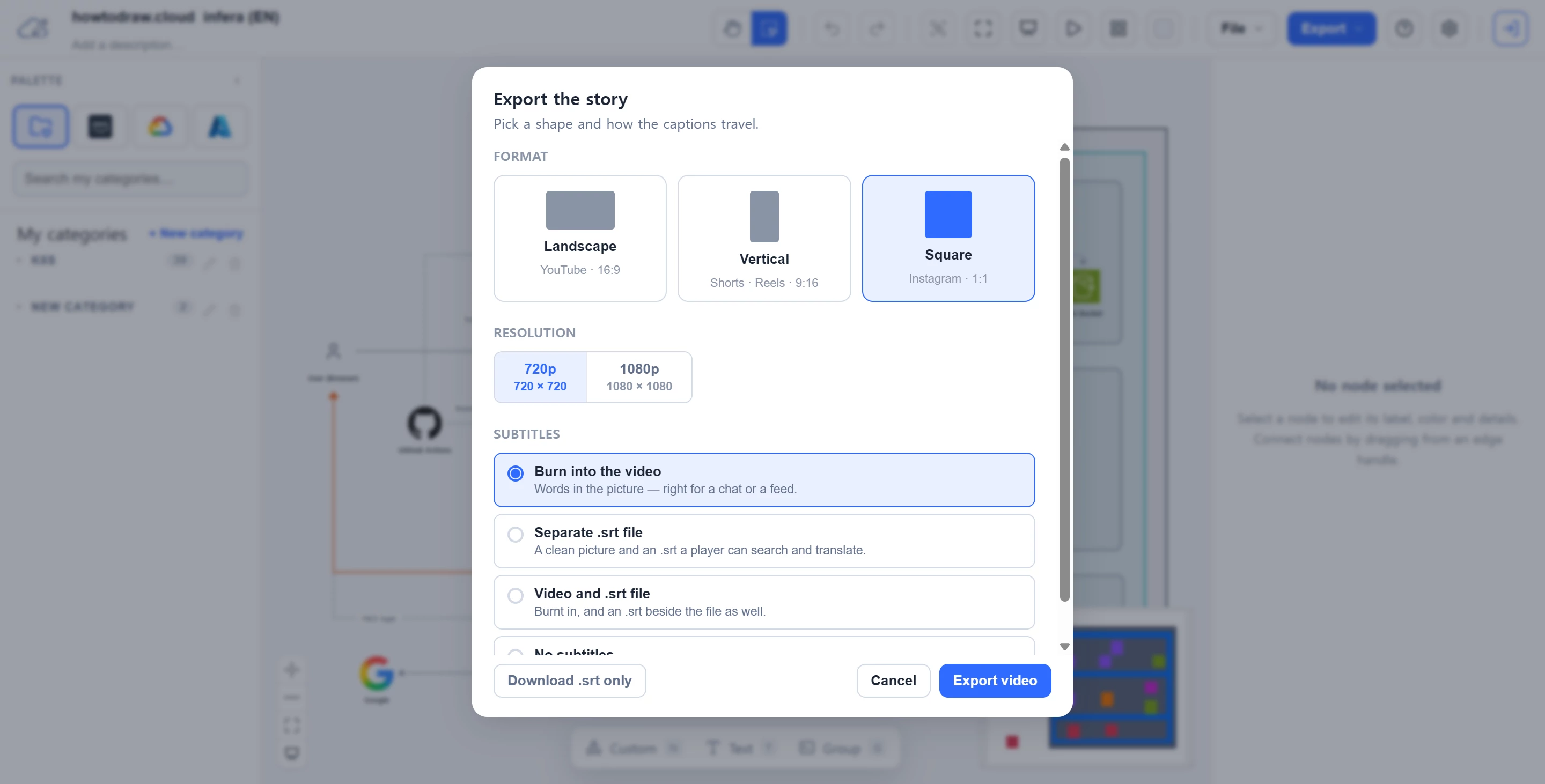
- 영상은 가로·세로(쇼츠·릴스)·정사각형 중에 골라서Choose the video shape — landscape, vertical (Shorts/Reels), or square
- 자막은 영상에 넣거나 따로 저장할 수 있어요Add captions to the video, or save them on their own
공유Share
링크 하나에 다이어그램 통째로Your whole diagram, inside one link
다이어그램을 링크 하나로 공유하면, 상대는 클릭만으로 바로 열어 봐요. 로그인도 가입도 필요 없어요. Share your whole diagram as one link, and the other person just clicks and sees it. No login, no sign-up.
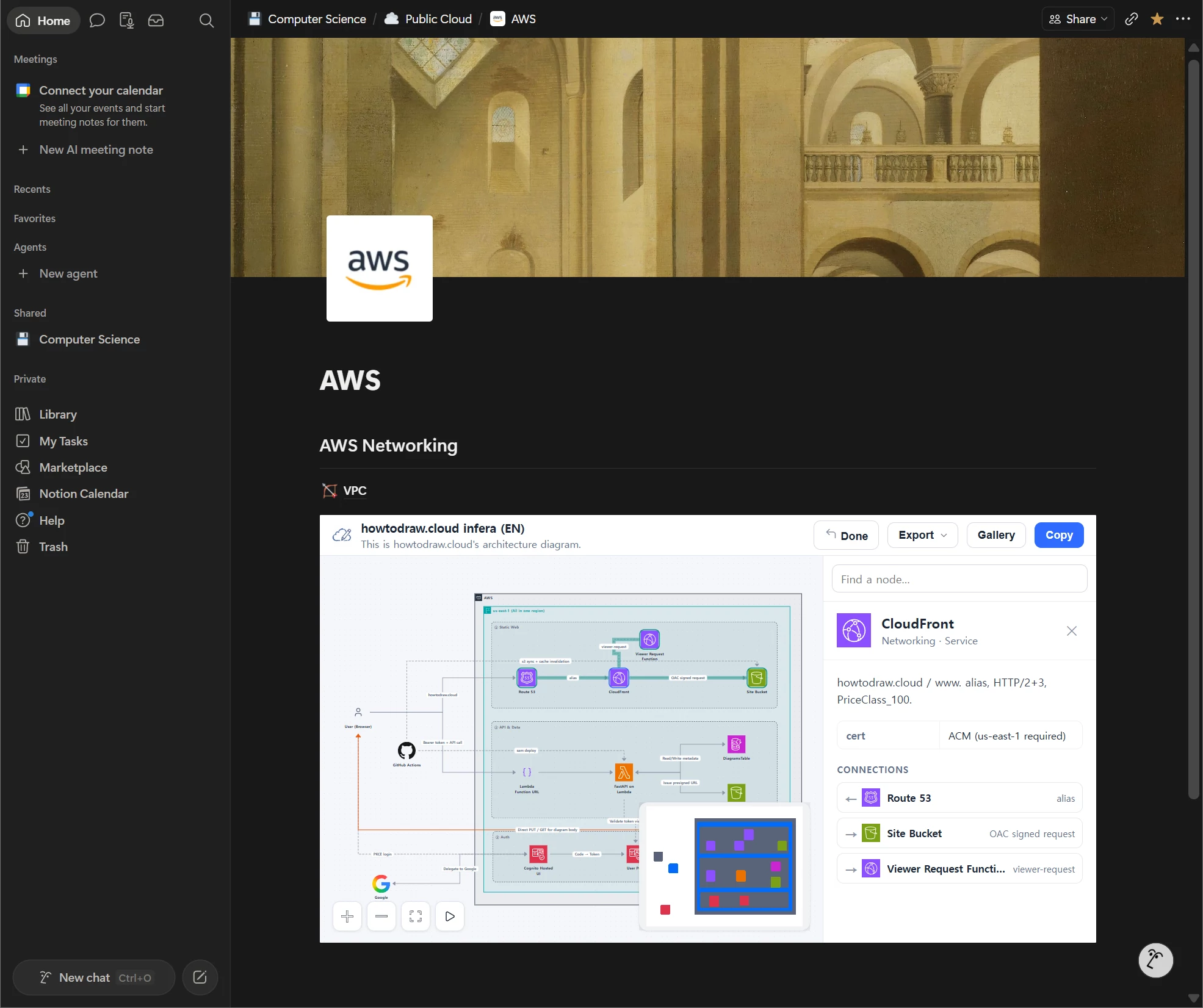
- 블로그·노션·위키에 임베드하면 페이지 안에 다이어그램이 그대로 나타나요Embed it in a blog, Notion, or a wiki, and the diagram appears right inside the page
- 사진으로 부족했던 설명에 생동감을!Bring life to explanations that were previously just photos
커뮤니티 학습 갤러리Community learning gallery
다른 사람은 어떻게 그렸을까See how everyone else drew it
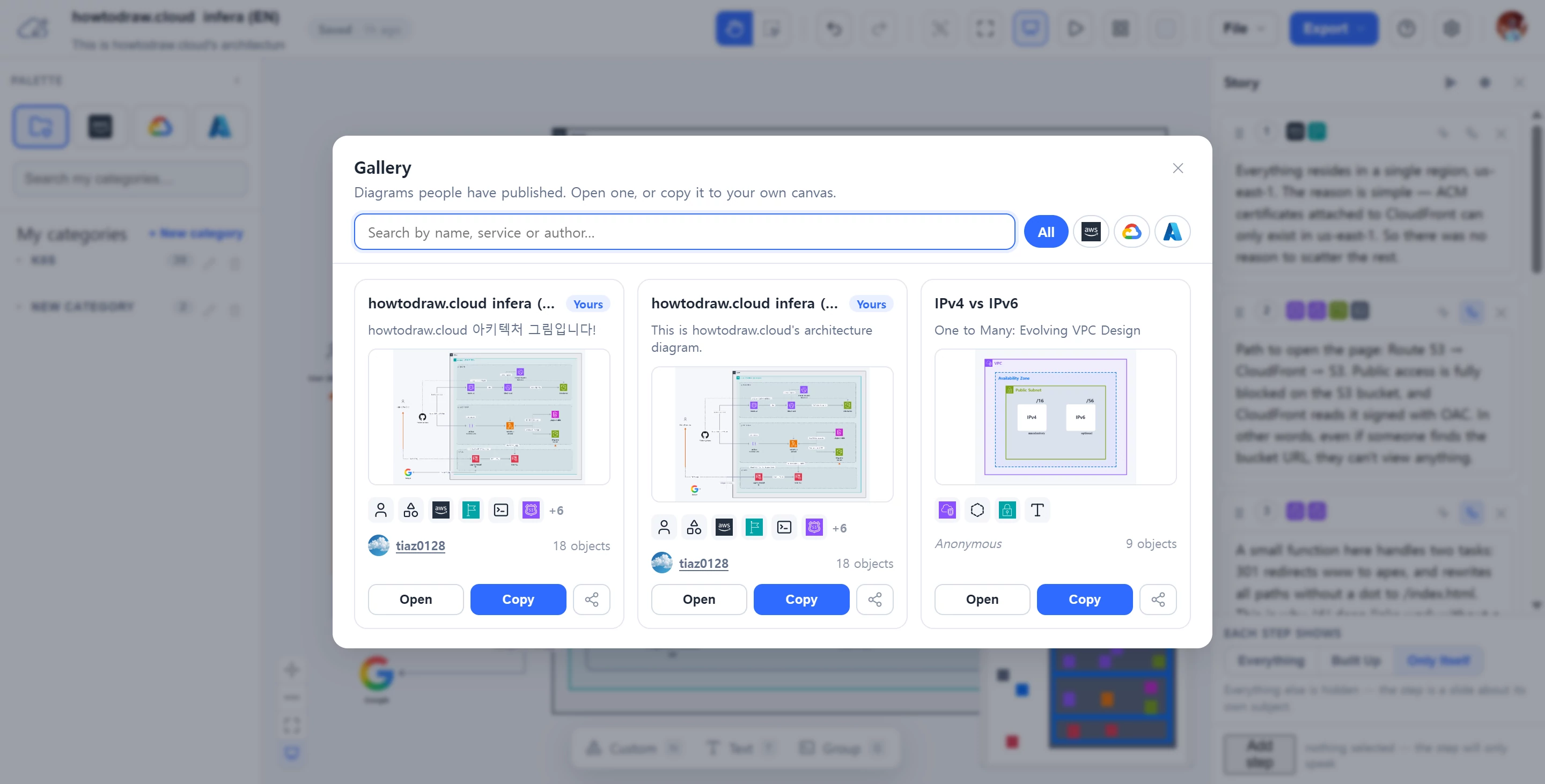
갤러리에서 다른 사람들이 VPC를, 3-Tier 앱을, 파이프라인을 어떻게 그렸는지 구경하고, 마음에 드는 건 내 캔버스로 가져와 뜯어보며 배워요. Google로 로그인하면 내 다이어그램은 클라우드에 저장돼 어느 기기에서든 이어서 그릴 수 있고요. Browse the gallery to see how other people drew a VPC, a 3-tier app, a data pipeline — then copy any of them onto your own canvas to take apart and learn from. Sign in with Google and your own diagrams save to the cloud, ready on any device.
- "다른 사람은 VPC를 어떻게 그렸지?" — 갤러리에서 바로 확인"How did someone else draw a VPC?" — find out in the gallery
- 마음에 드는 다이어그램을 내 캔버스로 복사해서 배워요Copy any diagram onto your canvas to learn from it
- 로그인하면 내 다이어그램은 클라우드에 안전하게, 이어서 그릴 수 있어요When signed in, your diagrams are saved safely in the cloud and can be continued on any device
예제로 시작해 보세요Start from an example
빈 캔버스가 막막하다면, 예제 하나를 클릭해서 바로 열고 뜯어보며 시작하세요. A blank canvas is the hardest place to start — click an example to open it and start tinkering right away.
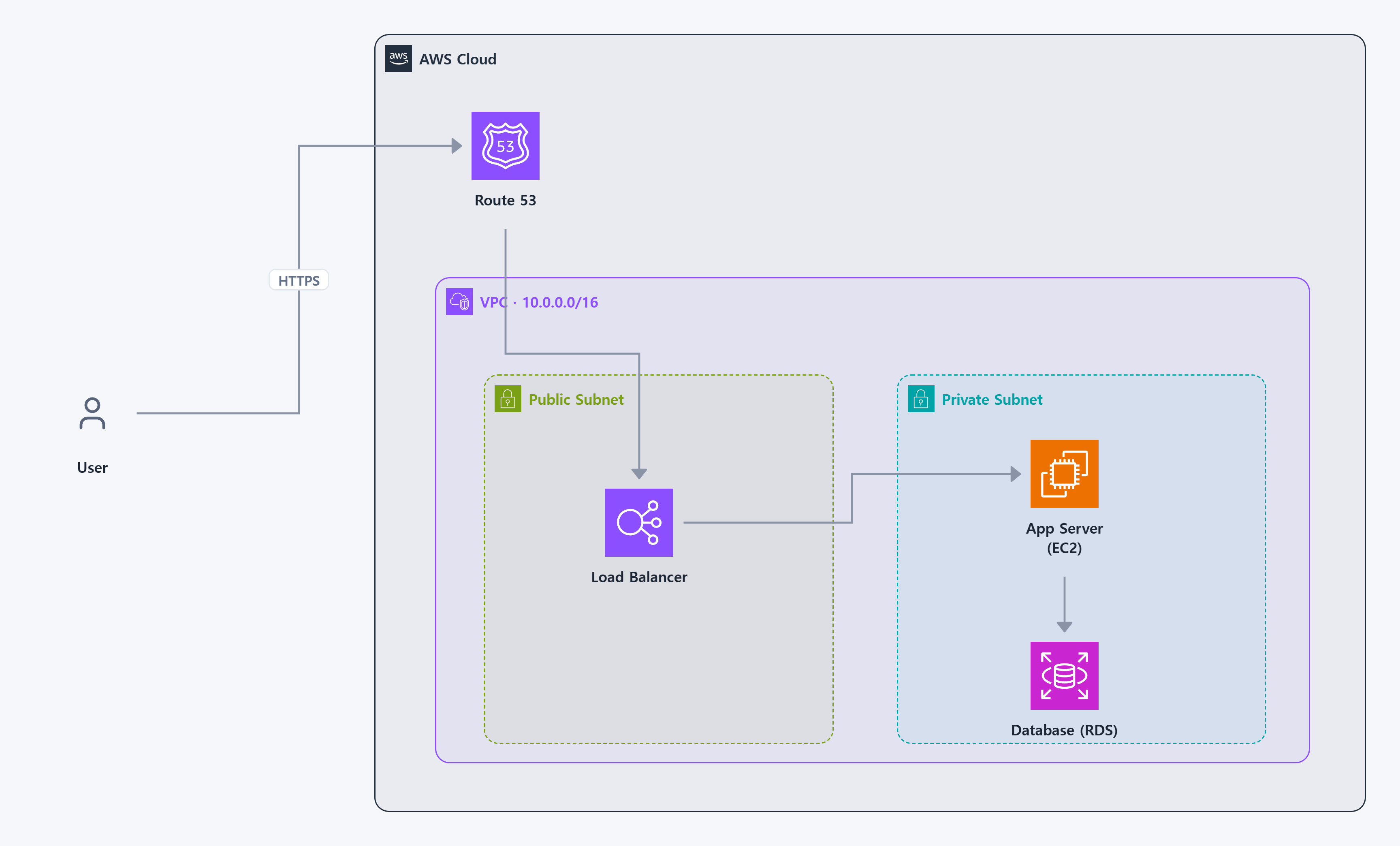 AWS 3-Tier 웹AWS 3-tier web
VPC·서브넷 안에 ELB → EC2 → RDSELB → EC2 → RDS inside a VPC
AWS 3-Tier 웹AWS 3-tier web
VPC·서브넷 안에 ELB → EC2 → RDSELB → EC2 → RDS inside a VPC
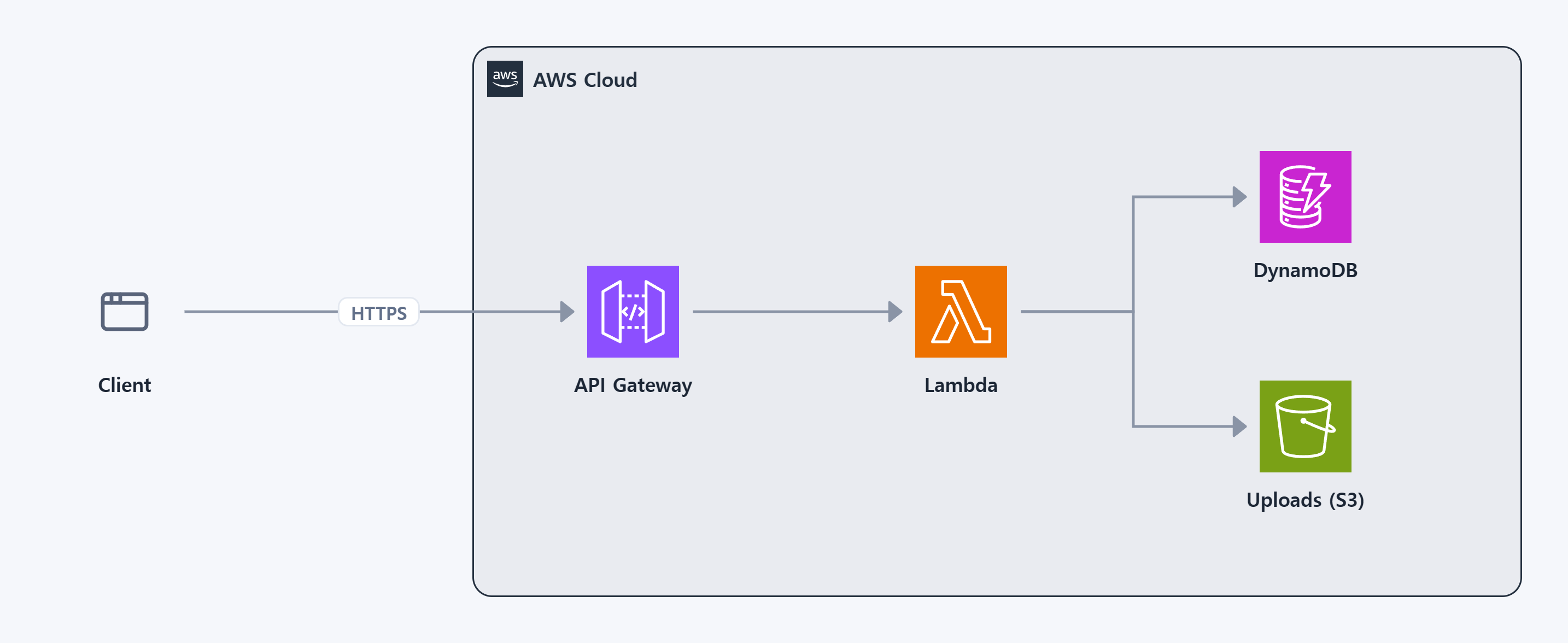 서버리스 APIServerless API
API Gateway → Lambda → DynamoDBAPI Gateway → Lambda → DynamoDB
서버리스 APIServerless API
API Gateway → Lambda → DynamoDBAPI Gateway → Lambda → DynamoDB
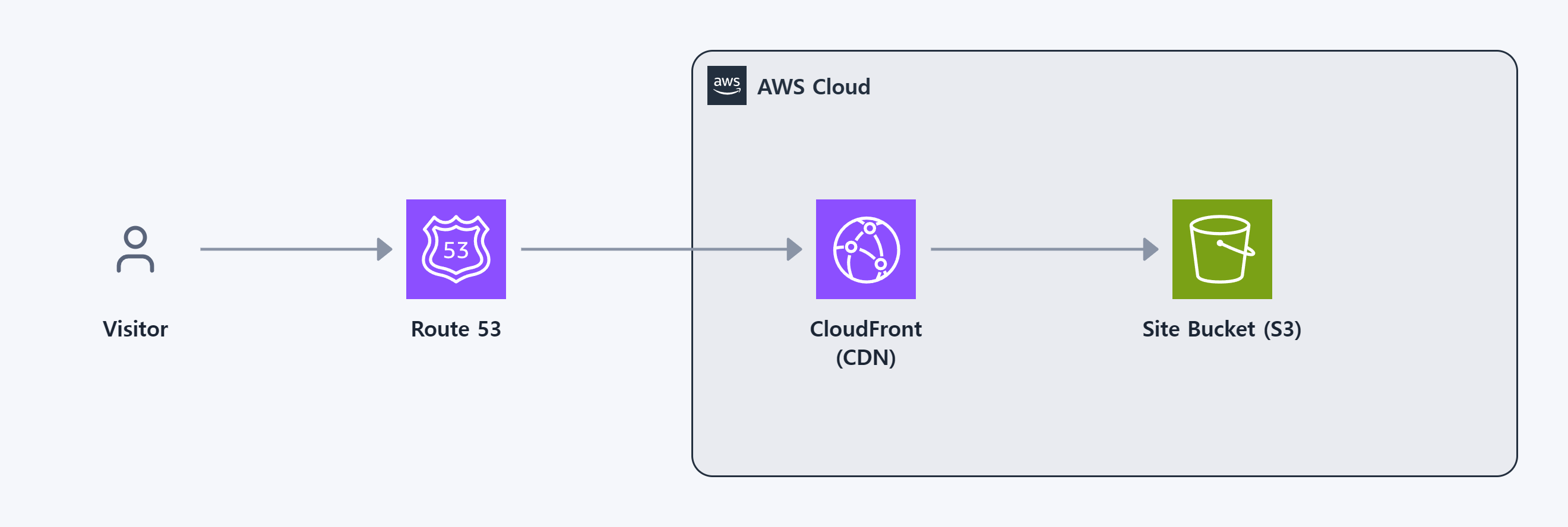 정적 웹사이트Static website
Route 53 → CloudFront → S3Route 53 → CloudFront → S3
정적 웹사이트Static website
Route 53 → CloudFront → S3Route 53 → CloudFront → S3